Local AI device
In the background it runs the computations that produce the transcript and the draft clinical note. It is small, quiet and connects to the network you already have.
DeviceDocumentation prepared alongside the examination, without disrupting its natural course.
We are developing an AI assistant for Slovak outpatient clinics that turns the conversation with the patient into a transcript and a draft clinical note (dekurz).
Everything runs locally, without sending health data to an external AI cloud.
Our goal is to give doctors intelligent documentation and voice control, so they can give their full attention to what matters most – their patients.
AMBULANCIA.AI connects a local AI device in the clinic with the doctor’s app.
In the background it runs the computations that produce the transcript and the draft clinical note. It is small, quiet and connects to the network you already have.
DeviceIn it, the doctor provides the voice input, reviews the generated content and decides how it is used next. It runs in the browser on a computer, tablet or phone.
AppHealth content is processed and stored on the device in the clinic. It is not sent to an external AI cloud.
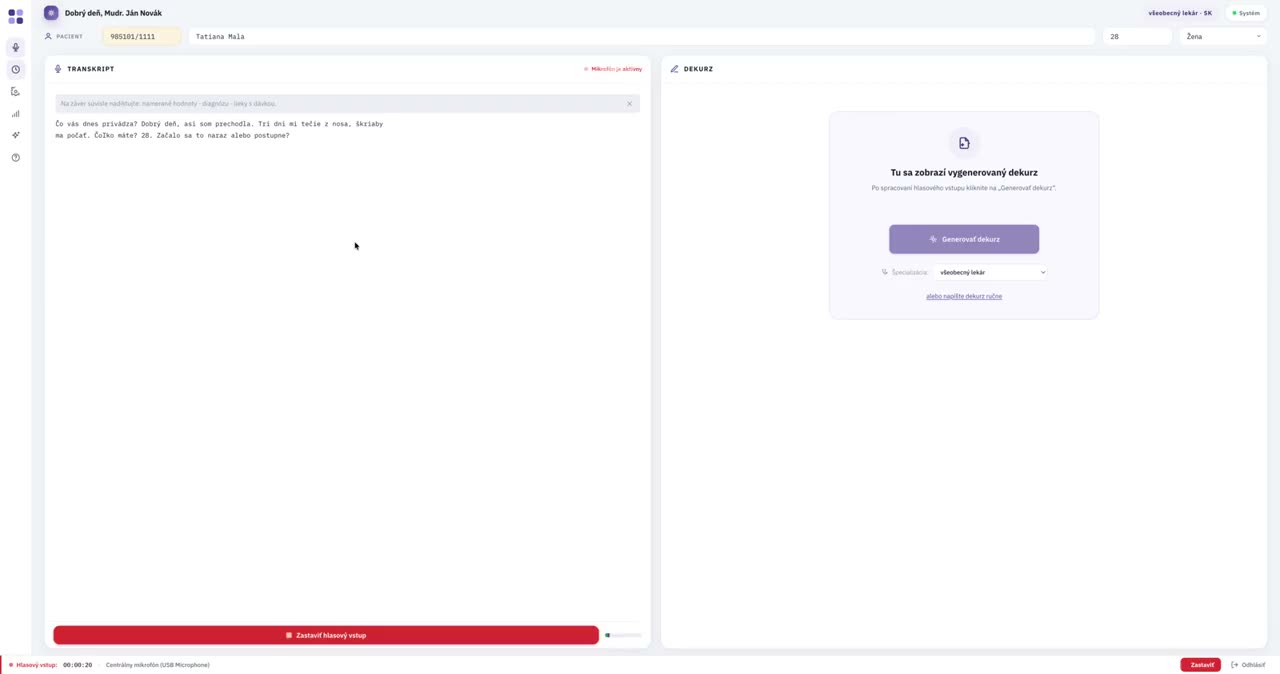
SecurityThe computer’s built-in microphone, an optional external microphone on the desk or the microphone of your tablet or phone captures the conversation between doctor and patient, or the doctor’s dictation. You start and stop the voice input in the app – in between, you attend to the patient, not the keyboard.
Audio is processed directly on the local device in your clinic. The models for transcription and for preparing the clinical note both run on it, so the AI processing of health content itself does not require sending the conversation to an external AI cloud.
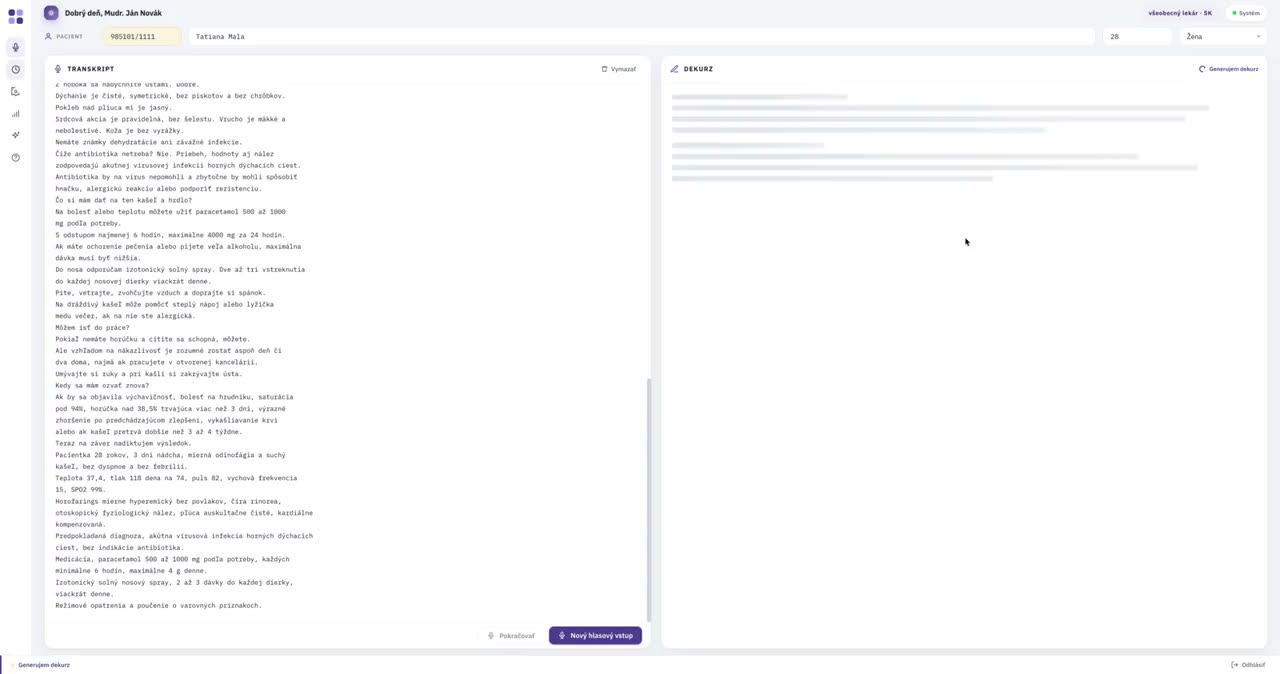
A local model adapted to Slovak and Slovak medical language converts the voice input into text. During the examination you see a live transcript; when the voice input ends, an accurate final transcript is produced.
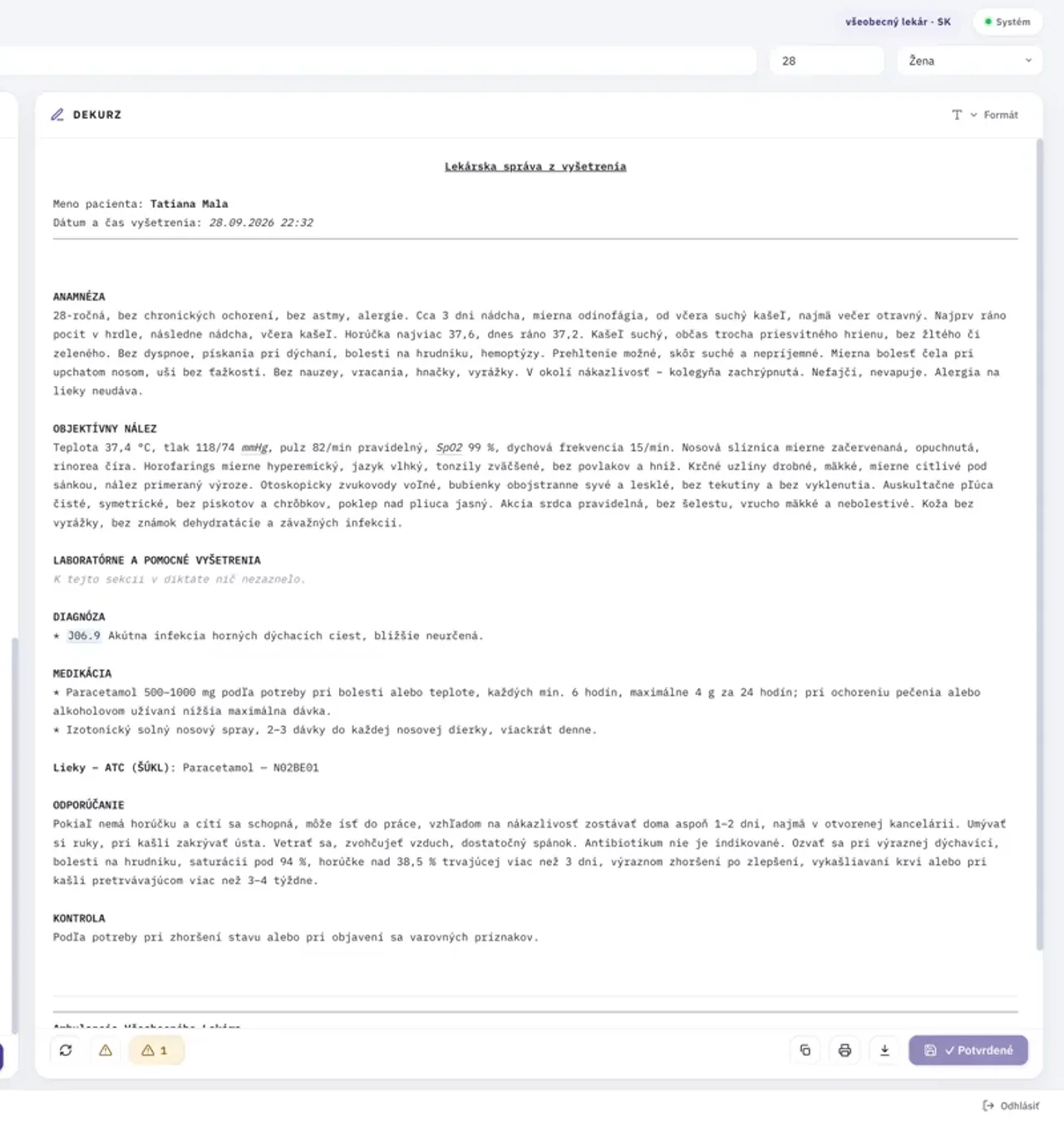
From the transcript the app creates a structured draft clinical note following predefined templates and rules – with the medical history, the objective findings, and diagnoses and medications with their codes.
You review the draft, edit or add to it as needed, and confirm it. You copy the finished clinical note into your clinic software or download it as PDF, Word or plain text.
One small device. Your microphone. Your computer. Your network.
No server room, no new workstation, no complicated setup. It fits into the practice you already have.
Everything you need on one screen – on a computer, tablet or phone.
Health content stays in the clinic.
When preparing the clinical note, the app uses built-in databases of diagnoses and medications that make it easier to add names and codes to the medical records. The draft clinical note therefore contains diagnoses and medications with their codes – you just check them.
You can work with a central microphone, the computer’s microphone or an existing audio file. Start whichever way suits you at the moment – during the examination, while dictating notes or from a recording you already have.
You adapt the structure of the clinical note to the way you work – which sections it contains and in what order. The app prepares every subsequent draft accordingly, so from the start it looks the way you are used to.
You can customize the header and footer of the clinical note to the needs of your practice. They are filled in automatically when the note is generated, so you do not have to retype the practice’s details each time, and every note has a consistent layout.
You can copy the finished clinical note or download it as PDF, Word or plain text. Paste the copied text into your clinic software, print or file the PDF – whichever fits the way you work.
We are preparing integration with clinic information systems, so that the confirmed clinical note reaches your medical records without copying. Until then you simply copy or download it.
Edge AI that listens, understands and writes for you – all directly in the clinic.
The device is an industrial AI computer. All computation runs on the device, not in the cloud.
A model adapted to Slovak and Slovak medical language converts speech to text directly on the device. The AI recognizes who is the doctor and who is the patient from the content of the conversation.
A language model turns the transcript into a structured draft of the medical record, intended for review and editing by the doctor.
The app communicates with the local device in the clinic. Technical communication is protected in transit by an encrypted connection.
During AI processing, the health content of the consultation is not sent to an external AI cloud. The internet may be used for selected technical functions of the system. More about security
AMBULANCIA.AI prepares a draft of the medical record. The doctor always has the final say.
Clinics in Slovakia can pre-order AMBULANCIA.AI and try the whole workflow in practice – the first month is a trial period.